
Flight Training Settings
Flight training settings allow you to define custom session types for flight lessons and checks, which are then reflected on the booking calendar and within program syllabi.
Flight Training Definition and Naming
To customize session type names for flight activities, you need the user role of Administrator.
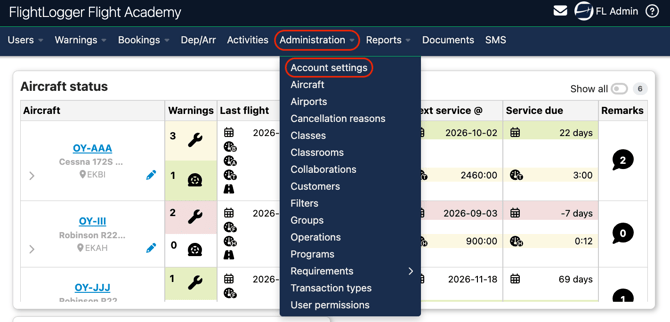
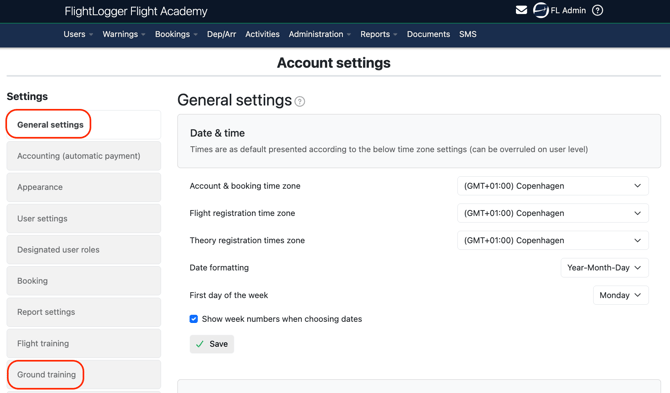
Go to Administration - Account Settings.
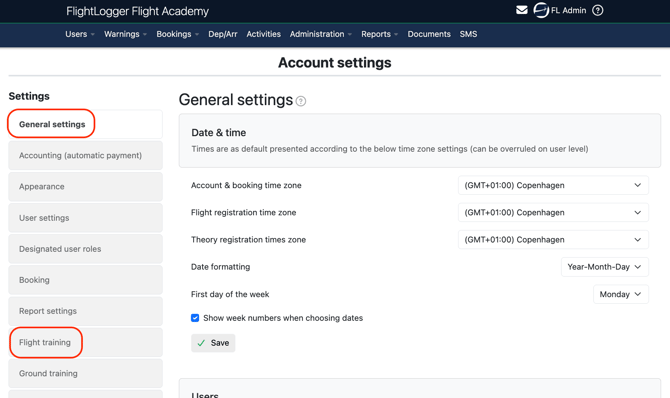
Select General settings - Flight Training.
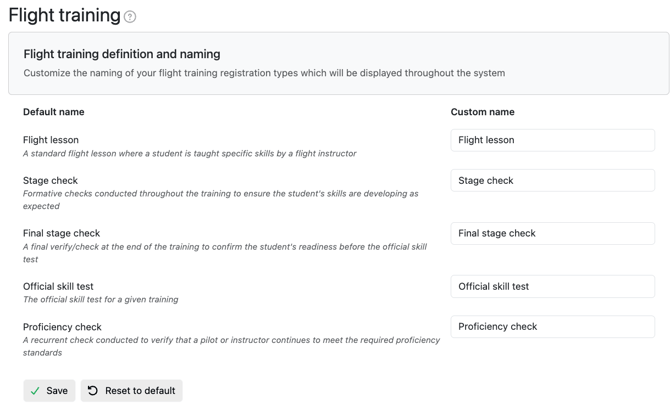
Under Flight training definition and naming, update the custom names for your session types:
-
- Flight lesson: Standard dual or solo flight instruction.
- Stage check: Periodic formative checks to monitor student progress.
- Final stage check: Final internal evaluation prior to an official checkride.
- Official skill test: Formal licensing or rating flight test.
- Proficiency check: Recurrent checks for license revalidation or ongoing proficiency.
Click Save.
Assigning Flight Session Types to Program Lessons
Once configured, session types can be linked directly to flight lessons inside your programs.
Ensure you have the permissions to view and edit programs.
Learn more about Permissions in our article Permissions
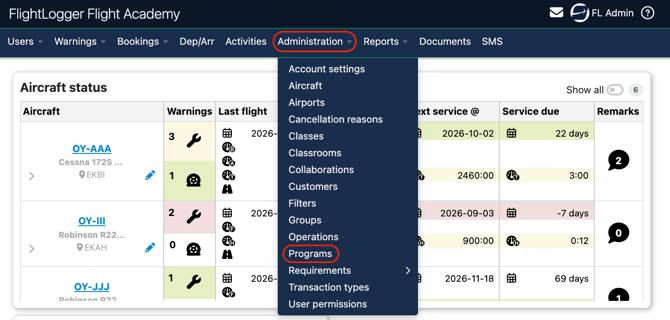
Go to Administration - Programs and select the active program revision.
Click Edit on the specific flight lesson you wish to modify.
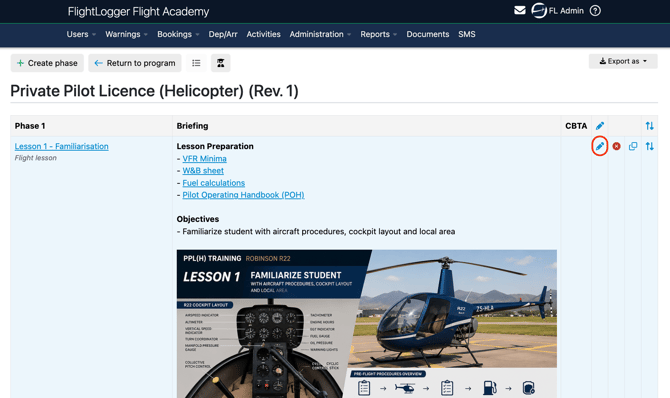
Locate the Session Type drop-down menu next to the lesson name and select the appropriate type. Save your changes.
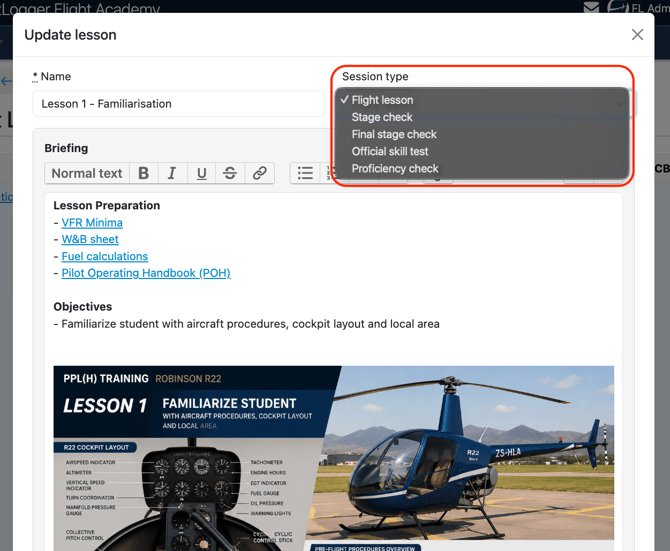
*Note: Updating a lesson's session type is classified as a minor program change, so the update applies automatically to currently enrolled students without disrupting their training progress.
Learn more about Managing lessons and exercises.
Using Flight Session Types in Bookings
Ensure you have the permissions to create Bookings.
Learn more about Permissions in our article Permissions
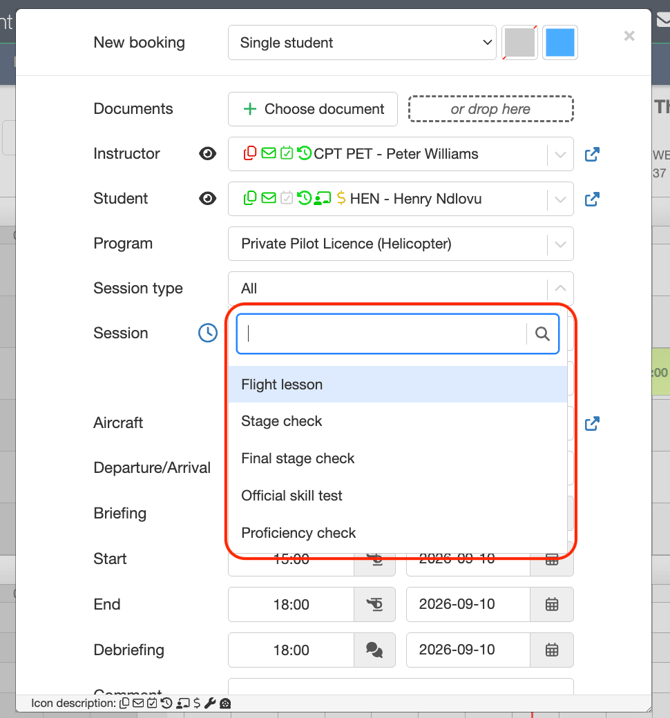
When scheduling a flight on the booking calendar, select the appropriate Session Type from the booking modal after choosing the student, instructor, and program.
The assigned type displays directly on the calendar entry, providing clear visual recognition for dispatchers, instructors, and students.
Ground Training Settings
Ground training settings allow you to tailor session naming for theory activities, link those session types directly to lessons in your ground programs, and configure visual pass limits specifically for ground tests and exams.
Ground Training Pass Limits and Colors (Ground Training Only)
To customize session type names for ground training activities, you need the user role of Administrator.
Unlike flight training, ground training allows you to set minimum passing percentages and visual status colors for theoretical checks and exams.
Go to Administration - Account Settings.
Select Ground Training.
Under the Ground training pass limits and colors section, locate each check type (Stage check, Final stage check, Official exam, and Knowledge test).
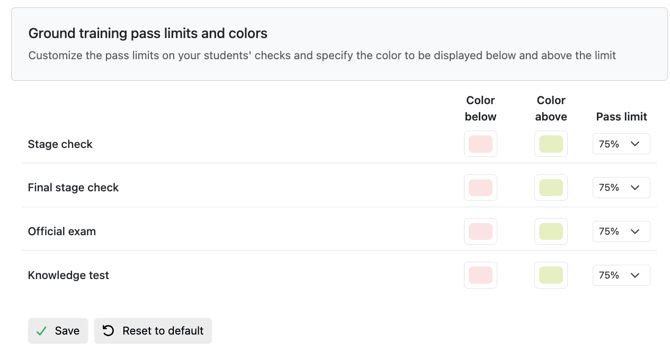
Set the required Pass limit percentage (e.g., 75%) from the drop-down menu for each test type.
Configure the visual indicators:
-
- Color below: Select the highlight color displayed on student records when a score falls below the required pass limit.
- Color above: Select the highlight color displayed when a student achieves or exceeds the pass limit.
Click Save.
These color indicators give instructors and administrators immediate visual feedback when reviewing student exam results and theoretical progress reports.
Ground Training Definition and Naming
To customize session type names for flight activities, you need the user role of Administrator.
To tailor ground training session names to your school's theory syllabus:
Under Ground training definition and naming, adjust the custom names as needed:-
- Ground lesson: Standard classroom or group theory instruction (e.g., custom named Ground lesson).
- Stage check: Subject-level knowledge evaluations (e.g., custom named Progress test).
- Final stage check: Comprehensive subject completion checks (e.g., custom named Theory release).
- Official exam: Formal authority or internal final examinations (e.g., custom named Exam).
- Knowledge test: Short topic evaluations or quizzes (e.g., custom named Type Questionnaire).
- Supplemental ground lesson: One-to-one remedial theory instruction (e.g., custom named Extra theory).
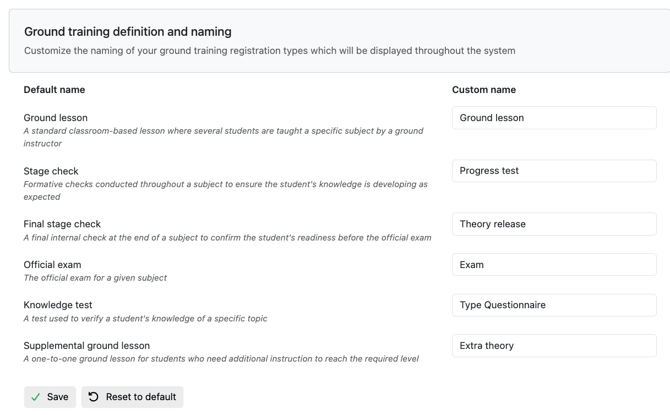
Click Save.
Using Ground Session Types in Bookings
Ensure you have the permissions to create Bookings.
Learn more about Permissions in our article Permissions
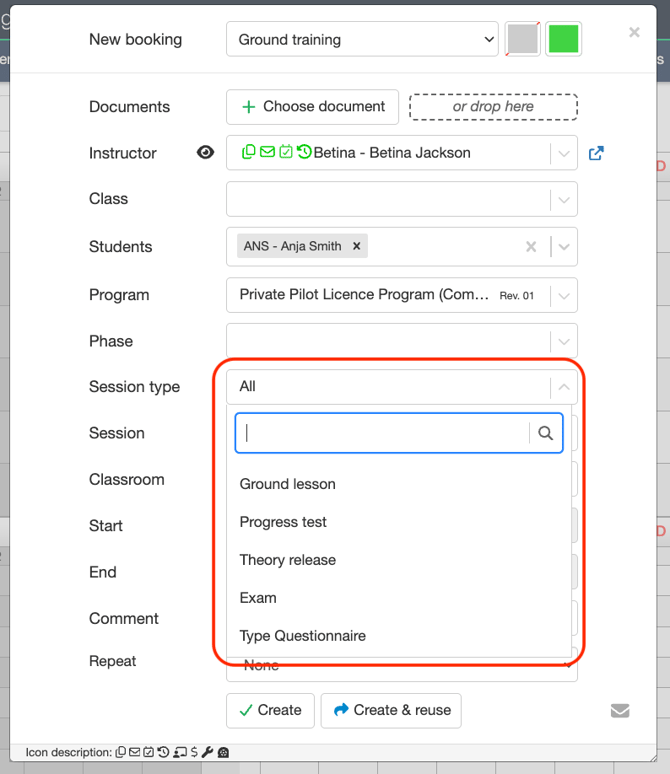
When scheduling classroom or theory sessions on the calendar, the process works exactly the same as booking a flight session. Schedulers select the student or group, instructor, and ground program, then choose the appropriate ground Session Type from the drop-down menu to display it clearly on the schedule.
Need help?
If you need assistance, feel free to contact our support team via the Get Support tab inside FlightLogger.