
Creating a Combined Syllabus program
Combined Syllabus is a separate program type, distinct from a flight program or a ground training program.
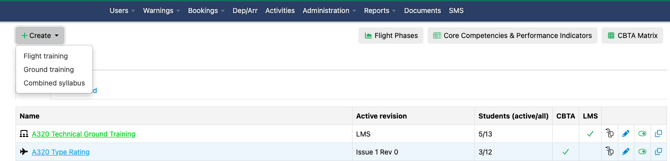
- Go to Administration → Programs.
- Click Create Program.
- Select Combined Syllabus as the program type.
Revisions
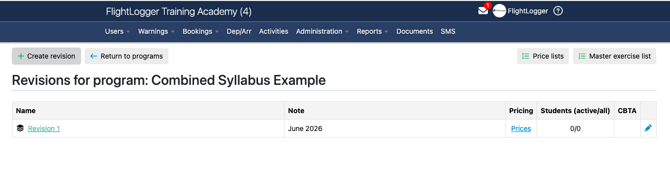
Revisions on a Combined Syllabus program work the same way as on flight and ground training programs:
- Create a new revision and activate it when you're ready.
- Existing students stay on the revision they started with. New students join whichever revision is active.
Note: Revisions can't be deleted, including drafts, in order to preserve compliance records.
Scheduling group theory sessions
Scheduling a ground training session for a group of students in a Combined Syllabus program uses the same Classes workflow as a standalone ground training program. There's no separate group-booking method for Combined Syllabus. Attendance is signed off per student, the same way it is for any class-based ground session.
Assigning students
Assigning a student to a Combined Syllabus program works the same way as assigning a student to any other program: from the student's profile or from the Programs page.
Bringing in an existing program
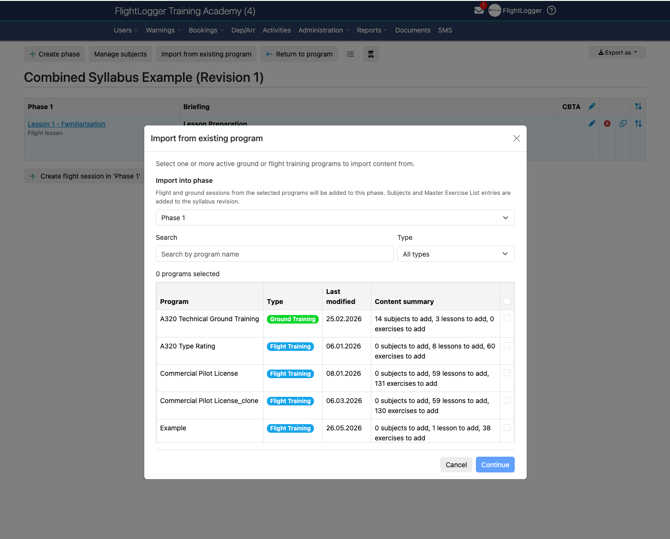
If you already have a flight program or a ground training program and want to bring its content into a Combined Syllabus program instead of rebuilding it from scratch:
- Open the Combined Syllabus program's revision.
- Click Import from existing program at the top of the screen.
This brings in all lessons from the source program.
Note: If the source ground program is a legacy (non-LMS) program, only the subjects are created. Legacy programs don't have lessons in the LMS sense, so lesson-level detail isn't available to import.
Setting up pricing
Billing for both the flight and ground training portions of a Combined Syllabus program works the same way as for normal programs, including charging by actual lesson duration when a lesson is closed via Proceed.
Note: Pricing is not carried over from any program you import. You'll need to set up pricing on the combined program itself, including adding it to your aircraft pricing list.
Need help?
If you're unsure whether to build a Combined Syllabus program from scratch or import existing content, or you run into an issue setting one up, click the Get Support button inside FlightLogger and our team will help.