
Watch this short video for an introduction:
What's new:
- Combined Syllabus Builder
- Float time logging for seaplane operations
- Progression card renamed to Student Progress and relocated
- Smaller usability and platform refinements
Combined Syllabus Builder: laying the groundwork for consolidated real-world training
This release marks the first step in a larger initiative we're calling Combined Syllabus, starting with the Combined Syllabus Builder.
Clients can now create new syllabus programs that bring flight and ground training together into one structure, rather than maintaining them as separate tracks. The Combined Syllabus Builder gives schools a way to design programs that reflect the reality of their day-to-day operations. Both flight and ground sessions now belong to a phase, and you can combine them as needed to fit your program structure.
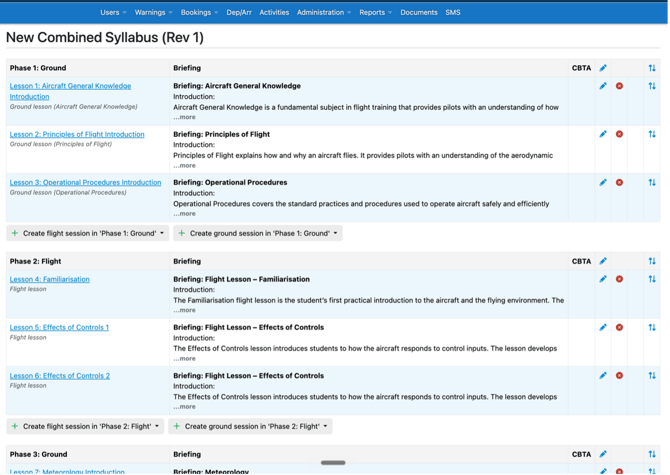
This is the first of several releases related to the Combined Syllabus. Future updates will extend the feature beyond syllabus creation, eventually letting clients manage and track student progress across flight and ground training as a single connected path. The goal is to help schools mirror their real operations more closely in FlightLogger, and to give instructors, administrators, and students a clearer view of how every part of training fits together.
NOTE:
This first release supports the creation of new combined programs only. Schools can begin designing Combined Syllabus programs now. Full rollout — including import, merge, and an improved student-facing view — is arriving in upcoming releases.
Float time logging
FlightLogger now supports float time logging via a new special log introduced in this release, enabling schools and operators to record float time on float-equipped aircraft.
The feature was built with our North American clients in mind, where accurate documentation of float experience is essential — particularly in Canada and the United States, where seaplane training, aircraft class privileges, and pilot experience all need to be properly recorded for regulatory and operational purposes. With float time logging built directly into the platform, clients can reduce manual tracking and keep cleaner records across student logbooks and Pilot Training Records (PTR), all in the same system they already use for scheduling, training, aircraft tracking, and reporting.
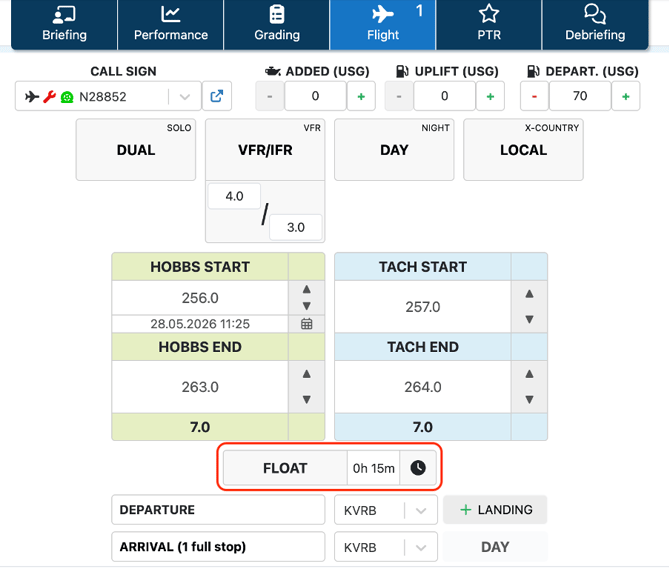
How to get started:
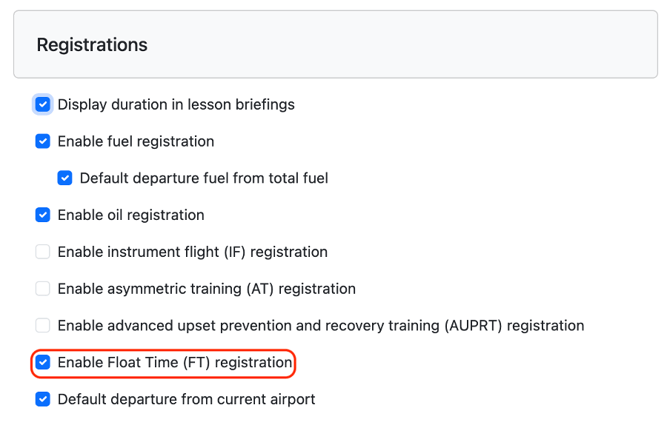
To enable this feature, navigate to Administration > Account Settings. Under Registration, the feature can be enabled on your account.
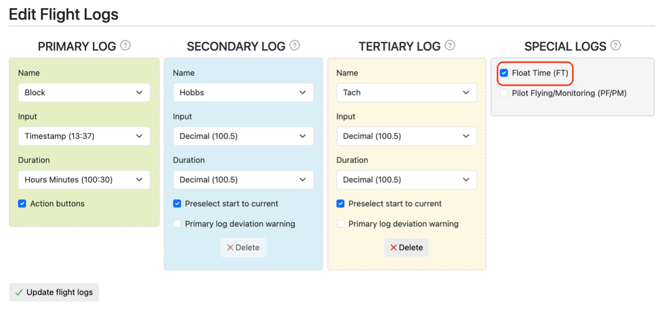
After enabling the feature under Account Settings, navigate to the aircraft that you want this special log to be enabled on. The special log must be individually added and updated on each relevant aircraft.

Progression card renamed to Student Progress and relocated
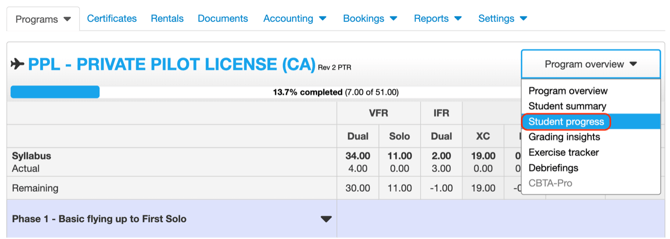
The Progression card, included in our Student Progression Module, has been renamed to Student Progress and moved into the Student Progress tab under Program overview. This brings progression-related information into one centralized view, so instructors, students, and administrators can follow training progress and spot areas needing attention without jumping between screens.
Additional improvements
This release also includes a range of smaller usability and platform refinements across the system.
As always, please reach out to the FlightLogger support team with any questions or feedback.
Best regards, Team FlightLogger